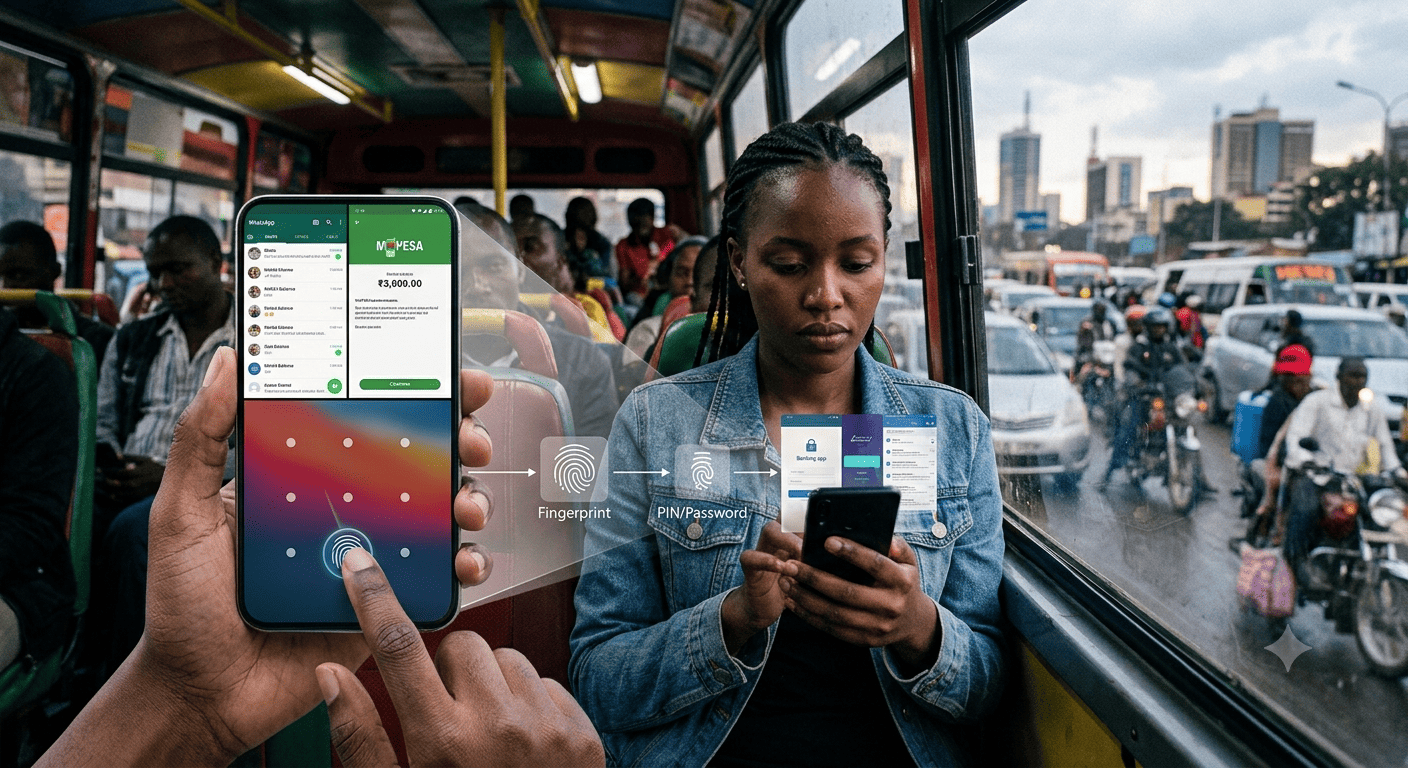
What happens when your fingerprint becomes your password?
Imagine this.
You are sitting in traffic in Nairobi. Your phone is in your hand. You are scrolling through WhatsApp, checking your M-PESA balance or responding to a work email.
Your phone is protected by a simple pattern.
You have never thought much about the pattern because, in your mind, the really important applications are separately protected. Your banking application uses a fingerprint or pin. Your mobile money application uses a fingerprint or pin. Your email uses a fingerprint or password.
You therefore believe that even if someone discovers your phone pattern, your money and sensitive information remain protected.
But there is a question many users never ask:
What exactly does your phone trust when it allows a new fingerprint to be registered?
That question goes to the heart of a growing cybersecurity problem.
Biometric authentication has made digital services dramatically easier to use. A fingerprint can replace a PIN. A face can replace a password. A single touch can open an application that contains financial information, personal data and access to other digital services.
The convenience is undeniable.
But convenience and security are not always the same thing.
The problem is not that fingerprints are inherently insecure. Modern smartphones use sophisticated hardware and cryptographic protections to protect biometric credentials. The problem is what happens when the biometric becomes the primary gateway to a large ecosystem of other services.
When that happens, we need to ask whether we have made security easier for the legitimate user while also making the consequences of a compromised device much greater.
The pattern most people don’t take seriously
Consider a common smartphone setup.
A user has a simple screen pattern. Perhaps it is a familiar shape that is easy to draw quickly. The user does not consider it particularly sensitive because they believe their banking and mobile money applications have their own protection.
They enable fingerprint authentication on those applications.
From the user’s perspective, there are several different security controls:
Phone pattern → banking fingerprint → mobile money fingerprint → email fingerprint.
But from a systems perspective, these controls may be more closely connected than the user realises.
The device’s screen lock is part of the foundation upon which biometric credentials are managed.
On Android, for example, biometric authentication requires a secure device credential such as a PIN, pattern or password. Android’s security architecture also allows applications to bind cryptographic keys to biometric authentication and, importantly, to invalidate those keys when a new biometric is enrolled. Android’s own documentation specifically identifies this as a security measure because otherwise an unauthorised person who obtains the device credential could potentially enrol their own biometric and gain access to biometric-protected keys.
That sentence deserves attention.
An unauthorised person who obtains the device credential could potentially enrol their own biometric.
This is exactly why application developers cannot simply assume that “fingerprint enabled” means “secure.”
The application needs to determine what happens when the biometric state of the device changes.
If a new fingerprint is added, should previously trusted application credentials remain valid?
Should the user be required to authenticate using the existing application PIN?
Should the application cryptographic key be invalidated?
Should the user be forced through account recovery?
For a banking or mobile-money application, these are not merely technical implementation questions.
They are risk-management questions.
The security chain is only as strong as its root
This creates an important concept that users and organisations need to understand:
The strongest-looking authentication mechanism is not necessarily the root of trust.
A fingerprint may appear to be the strongest protection because it is unique to the individual.
But if the ability to modify the phone’s biometric configuration ultimately depends on a weak screen pattern, then that pattern becomes much more important than the user realises.
The security chain could look something like this:
Screen-lock credential
↓
Device security settings
↓
Biometric enrolment
↓
Biometric authentication
↓
Financial and other applications
The user may only see the final fingerprint prompt.
The security engineer must see the entire chain.
And the data governance professional should ask:
Where does trust actually begin, and what happens if that point is compromised?
The Kenyan reality makes this more than a theoretical debate
This issue becomes particularly relevant in Kenya because smartphones are deeply integrated into everyday financial life.
For many people, the phone is not simply where they communicate.
It is where they keep their money.
M-PESA, bank applications, mobile banking, email, work applications and personal information can all sit behind the same physical device.
A phone thief therefore does not necessarily see a device worth a few thousand shillings.
They may see a gateway to an individual’s financial and personal ecosystem.
Recent police operations in Nairobi have continued to uncover organised mobile-phone theft, including a May 2026 operation in Kayole in which police recovered 62 allegedly stolen phones.
The security conversation therefore needs to move beyond:
“Don’t lose your phone.”
The more important question is:
“If someone gets control of my phone, what exactly have I given them access to?”
Now consider a more disturbing scenario
Imagine another situation.
You are travelling home in heavy traffic. Your phone is accessible. A criminal manages to take control of the situation and you are physically unable to respond normally.
This is uncomfortable to imagine, but cybersecurity threat models are supposed to consider uncomfortable scenarios.
A password or PIN requires knowledge.
A fingerprint does not.
If a person is physically compromised, a biometric authentication mechanism can potentially create a fundamentally different threat than a knowledge-based credential.
This is one reason biometric authentication should not automatically be treated as equivalent to a password.
A password is something the user knows.
A fingerprint is part of the user’s body.
That difference matters when designing systems against scenarios involving coercion, physical compromise or loss of control over the device.
We have become accustomed to seeing scenarios in films where a fingerprint is used to open a device or authenticate a system. Real-world security architecture needs to consider the underlying threat, not simply dismiss it because it sounds like something from a movie.
The point is not that criminals routinely use such methods.
The point is that a security system should not assume that the legitimate user will always be conscious, physically independent and in complete control of the device when authentication is requested.
That is a very different threat model from someone trying to guess a password.
A password creates a different kind of barrier
Suppose the same attacker encounters a phone protected by a strong, unique passcode.
They may have possession of the physical device.
But possession does not automatically give them the secret.
They cannot simply present the user’s fingerprint if the authentication architecture requires knowledge of the passcode for the relevant action.
The distinction is important because passwords and PINs introduce a form of knowledge-based separation.
The device is present.
The person is not necessarily present.
And the secret remains unknown.
This is one reason strong credentials continue to have an important role even as the technology industry moves toward passwordless authentication.
But isn’t a fingerprint more secure than a PIN?
Often, yes.
A random six-digit PIN can potentially be guessed.
A weak screen pattern can be observed.
A fingerprint is considerably harder for a remote attacker to reproduce.
This is why the argument should not be reduced to:
“Biometrics are bad.”
That would be technically inaccurate.
The real issue is how biometrics are positioned within the security architecture.
Biometrics can provide excellent protection against many forms of remote attack and can dramatically improve usability.
They become more problematic when organisations treat them as a universal replacement for other authentication mechanisms, particularly for high-value actions.
There is a difference between:
“Use your fingerprint because it is convenient.”
and:
“Your fingerprint is the only thing standing between an attacker and your money.”
Those are very different security propositions.
The M-PESA question
This is where mobile money becomes an important case study.
Financial applications increasingly allow users to authenticate using the biometric capabilities of their smartphones.
From the user’s perspective, this is excellent.
No forgotten PIN.
No repeated typing.
No friction.
Touch the sensor and continue.
But financial institutions should ask a much harder set of questions.
What happens when a new fingerprint is enrolled?
Does the application detect the change?
Does it invalidate existing cryptographic keys?
Does it require the user’s existing financial PIN?
Does it require account recovery?
Does it distinguish between authentication and authorisation?
Does a fingerprint that can open the application automatically authorise high-value transactions?
What happens when the device changes hands?
What happens after a device credential is compromised?
These questions should be part of security architecture reviews, penetration testing, threat modelling and data protection impact assessments.
Android’s own security documentation provides developers with mechanisms to invalidate biometric-bound cryptographic keys when new biometric credentials are enrolled. It also supports authentication-per-use keys for sensitive operations such as high-value transactions.
The technology therefore exists.
The governance question is whether organisations are using it appropriately.
Opening an application is not the same as authorising a transaction
This distinction is particularly important in financial services.
There is no reason for every action within a financial application to have exactly the same authentication requirement.
Checking your balance is one thing.
Changing your account details is another.
Adding a beneficiary is another.
Transferring money is another.
Changing your security credentials is another.
A useful example is the authentication model used by I&M Bank. A customer may use a fingerprint or password to access the mobile banking application, but access to the application does not by itself authorise a financial transaction. Transactions require a separate six-digit PIN to validate the transaction.
That separation is important.
It means that successfully authenticating to the application is only the first step. The system does not automatically assume that because someone has gained access to the application, they should also be able to move money.
Think about the difference.
Application access:
Fingerprint or password
↓
Access to the banking application
Transaction authorisation:
Transaction initiated
↓
Six-digit transaction PIN
↓
Transaction authorised
This creates an additional security boundary.
Now compare that with an architecture in which a fingerprint is both the mechanism for entering the application and the mechanism that authorises every subsequent action.
The distinction becomes particularly important when considering the earlier scenario of a compromised device.
If an attacker gains access to a phone and somehow compromises the biometric authentication environment, they may be able to get past the first layer of security. But if a separate transaction PIN is still required before money can be moved, the attacker has encountered another security boundary.
That is the principle financial institutions should embrace:
Compromising one authentication layer should not automatically compromise the entire account.
The risk increases as the consequence of the action increases.
Checking a balance and transferring USD 5,000 should not necessarily require exactly the same level of assurance.
Authentication should therefore be risk-sensitive.
A biometric could reasonably be used to open an application.
A separate PIN, cryptographic confirmation, transaction signing mechanism or other independent control can protect the actual movement of money.
This is the principle of step-up authentication and, more broadly, defence in depth.
The greater the risk, the stronger the assurance should be.
The I&M example demonstrates an important design principle: convenience authentication and transaction authorisation do not have to be the same thing.
And that may be the direction the wider financial sector needs to consider as biometric authentication becomes increasingly common.
Biometrics should be a convenience layer, not the entire security architecture
Perhaps the biggest mistake we can make is thinking about authentication as a choice between passwords and biometrics.
It does not have to be.
A better model is:
Strong credential + trusted device + biometric convenience + risk-based authentication
The biometric becomes the easy everyday mechanism.
The stronger credential remains part of the underlying security architecture.
High-risk actions receive additional protection.
Changes to the authentication environment trigger additional verification.
This approach recognises something important about biometrics:
They are excellent at proving that a particular biometric was presented. They are not necessarily sufficient to establish that every action requested by that person should be authorised.
Authentication and authorisation are related, but they are not the same thing.
The problem with “something you are”
There is another reason organisations need to be careful.
A password can be replaced.
A PIN can be changed.
A security key can be revoked and replaced.
Your fingerprint cannot.
This creates what we might call the revocation problem.
If a password is compromised today, you can change it tonight.
If your fingerprint is compromised, you cannot simply wake up tomorrow with a new fingerprint.
Modern biometric systems address this by storing protected biometric templates rather than ordinary images and by keeping biometric processing within secure hardware where possible.
Apple, for example, describes its Secure Enclave architecture for protecting biometric authentication data.
These protections are important.
But they do not change the fundamental fact that the underlying characteristic is persistent.
That means biometric systems need strong surrounding controls.
This is a data governance problem too
It would be easy to classify this entirely as a cybersecurity issue.
It is not.
It is also a data governance issue.
Biometric information can constitute highly sensitive personal information, depending on the jurisdiction and how it is processed.
Organisations therefore need to understand not only whether biometric authentication works, but also:
- What biometric information is being processed?
- Is the application receiving the biometric itself or merely an authentication result?
- Where is the biometric template stored?
- Who controls it?
- What happens when a new biometric is enrolled?
- How are biometric credentials revoked?
- What happens when a device is lost or stolen?
- What happens when the user changes devices?
- What additional controls apply to high-risk transactions?
- What happens when the authentication environment changes?
- Is biometric authentication necessary for the particular purpose?
- Does the security benefit justify the additional dependency on the device’s biometric architecture?
These are governance questions because they concern accountability, risk, security, purpose and lifecycle management.
What financial institutions should do differently
Financial institutions and mobile money providers should reconsider the assumption that biometric authentication should automatically replace a PIN for every interaction.
At least five principles should guide the design.
1. Treat biometric enrolment as a security event
Adding a new fingerprint or face should be treated as a meaningful change to the authentication environment.
Applications protecting financial information should detect and respond appropriately to biometric enrolment changes.
2. Protect the root credential
The device PIN, password or other root credential should not be treated as an afterthought simply because the user normally accesses the application with a fingerprint.
Users should understand that their device credential may control access to the broader authentication environment.
3. Separate authentication from authorisation
Successfully opening an application should not automatically authorise every financial action.
High-risk actions should receive stronger controls.
4. Use step-up authentication for high-risk actions
Large transfers, changes to account security settings, new-device registration, credential recovery and other sensitive activities should require proportionately stronger assurance.
Android already supports authentication-per-use cryptographic keys that can be used for high-value operations.
The industry should make greater use of this principle.
5. Design for loss of control
Threat modelling should consider more than a remote hacker.
It should consider:
- a stolen phone;
- an observed screen pattern;
- a compromised device credential;
- an unauthorised biometric enrolment;
- a lost or borrowed device;
- coercion;
- physical compromise of the user;
- account recovery abuse.
Security controls should be designed around realistic threats rather than ideal user behaviour.
And what should ordinary users do?
The responsibility should not rest entirely with consumers.
Application providers have a responsibility to build secure authentication architecture.
But users can also reduce their exposure.
The first step is to stop treating the phone’s screen lock as an unimportant convenience.
If your phone contains your bank account, mobile money, email, work applications and personal information, your screen-lock credential is a serious security control.
Use a strong credential.
Avoid an easily observed pattern.
Do not assume that because an application displays a fingerprint prompt, it has created an entirely independent security boundary.
And remember:
Your fingerprint may be convenient, but your PIN or password may still be the root of trust underneath it.
The bigger lesson for Africa’s digital economy
Africa’s digital transformation is increasingly mobile-first.
That is one of its greatest strengths.
A person does not need a bank branch to move money. They do not need a computer to access financial services. A smartphone can provide access to an extraordinary range of services from almost anywhere.
But the concentration of services inside one device also concentrates risk.
The phone has become:
a wallet, an identity device, an authentication token, a communications platform and a gateway to personal information.
That makes the authentication architecture of the phone enormously important.
As organisations move toward passwordless authentication and biometric convenience, the question should not be whether biometrics should be abandoned.
They should not.
The question is whether we are asking biometrics to do too much.
A fingerprint is an excellent convenience mechanism.
It can be an excellent security control.
But it should not automatically become the single point of trust for an individual’s entire digital life.
The future should therefore not be:
PIN versus fingerprint.
It should be:
How do we combine what you know, what you have and what you are in a way that is proportionate to the risk?
That is the conversation financial institutions, mobile money providers, technology companies, regulators and data protection professionals need to have.
Because when your phone becomes your bank, your identity card, your office and your digital wallet, the question is no longer simply whether your fingerprint works.
The question is:
What else does your fingerprint unlock?
And perhaps more importantly:
What happens when the person presenting it is no longer the only person in control of the device?